Developer Tools
Use Developer Mode when you maintain the shared StyleCore setup. Ordinary users do not need it. Developer Mode gives access to the shared maintenance sections in StyleCore settings.
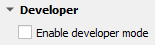
1. Enable Developer Mode
- Open Settings → Options → StyleCore.
- Expand Developer.
- Tick Enable developer mode.
- Use the sections that appear below.
- Save with Apply / OK and confirm with the developer code when prompted.
Developer code is a confirmation step
The developer code confirms shared changes in StyleCore. Real protection still comes from file and server permissions.
2. Know the main maintenance areas
| Area | Used for |
|---|---|
| Resource root | Change a moved or renamed shared root folder |
| Templates | Manage Active, Refresh and external templates |
| Shared automatic layer styles | Maintain layer name → QML mappings |
| File Suffix Rules | Maintain suffix-based rules |
| Save layer styles… | Write shared QML files from styled layers in QGIS |

3. Maintain templates
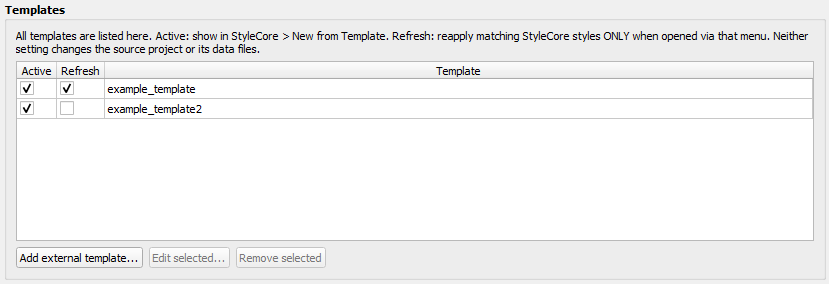
Use this section to:
- show or hide templates in the StyleCore menu,
- decide which templates should use Refresh,
- add external templates,
- edit or remove external templates.
See Project Templates for the step-by-step workflow.
4. Maintain shared automatic layer styles
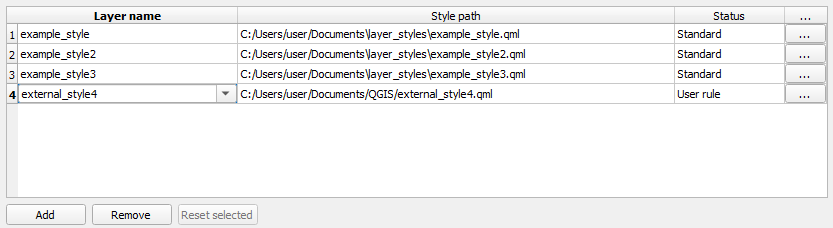
- Add or select a row.
- Enter the layer name.
- Choose the QML file with the
...button. - Save with the developer code.
- Ask colleagues to reload the configuration if needed.
See Layer Styling.
5. Maintain File Suffix Rules
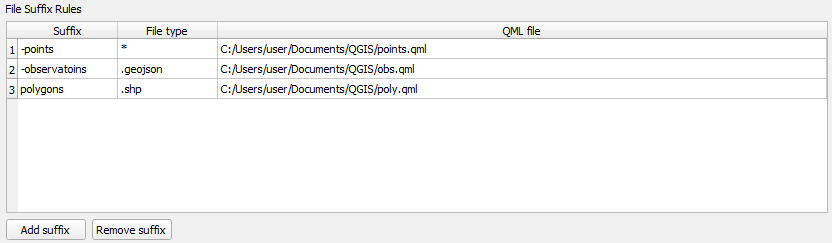
- Click Add suffix.
- Enter suffix, file type and QML file.
- Save with the developer code.
- Test with a matching file-based layer.
6. Save shared QML styles from QGIS

- Style your layers in QGIS.
- Open Save layer styles….
- Select only the layers you want to write.
- Confirm the save and developer code.
- Review the summary and test the result.
7. Remember what affects colleagues
- Personal Overrides do not affect colleagues.
- Shared mappings, File Suffix Rules, template settings and saved shared QMLs do affect colleagues after they reload the configuration.
- Replacing template or layout source files affects future uses of those resources.